

HR Management
5 min read
HR Workflow Automation: What Should You Automate First?
Learn which HR processes to automate first for quick wins. Cut paperwork, improve compliance, and scale faster with smart HR workflow automation.
Read more


Imagine that a new intern looks at the salary file of the CEO. Or an exiting employee removes decades of reviews. These are security breaches that are legally risky.
Sensitive data is in every corner of HRM. Everyone should not see everything. Role based access HR is a strict digital gatekeeper.
This blog outlines the simple definition of RBAC. It demonstrates why it drives safe HR software. You will get to know how the mechanics of who sees what work.
We are going to discuss the common access models and their differences. You will also get to know how to put it into practice. The control aim is not to slow down teams
RBAC is essentially a security framework. It also restricts access according to job descriptions. Sensitive data can only be accessed by authorized users.
You do not give permission to every employee. You put them in a position such as HR Manager or Team Lead. After that, you tie employees to that role.
This provides a barrier between the users and the data. When there is a change of job, you do not rewrite access. It is simply a change in the role of the user.
Helpful Resource: Microsoft Ecosystem HR Solutions
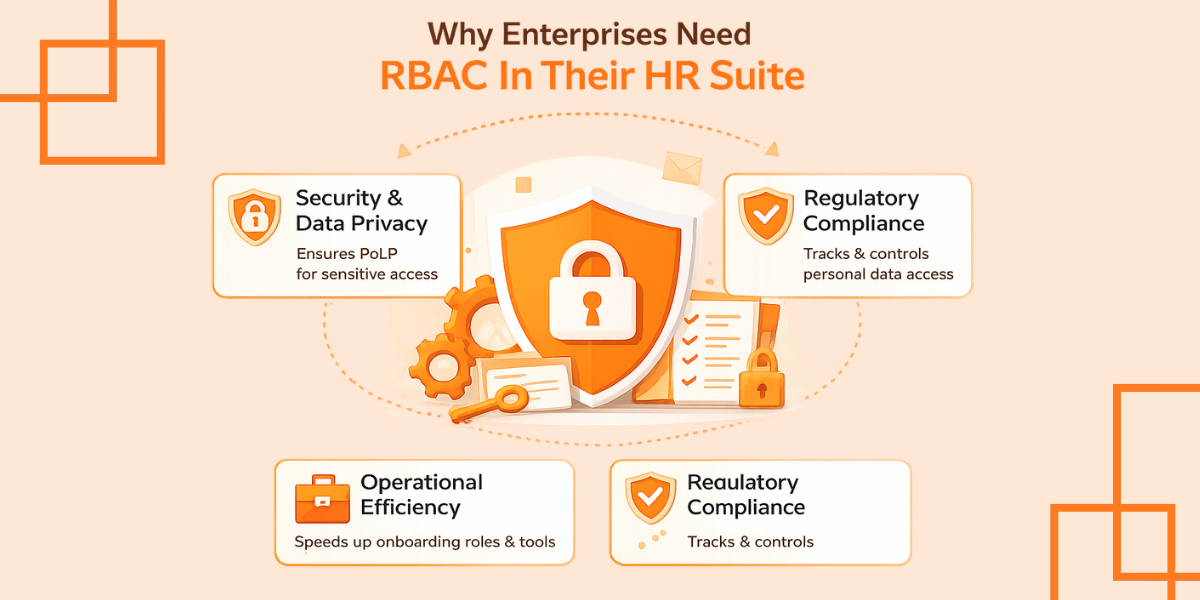
What is the point of establishing these technical layers? Manual permission management is risky, especially when considering a mid-sized or large business. It can easily turn into a mess. RBAC has three primary pillars of value:
Helpful Resource: What is Core HR?
All RBAC installations are not created equal. One of these four common categories may be applicable depending on the complexity of your organization:
A hierarchical model is beneficial to most Lanteria HR customers. It reflects your real organizational chart.
As an example, a position such as a Senior HR Business Partner may contain the allowances of a Junior HR Generalist. This happens automatically. It reduces redundancy. It simplifies your system configuration also.
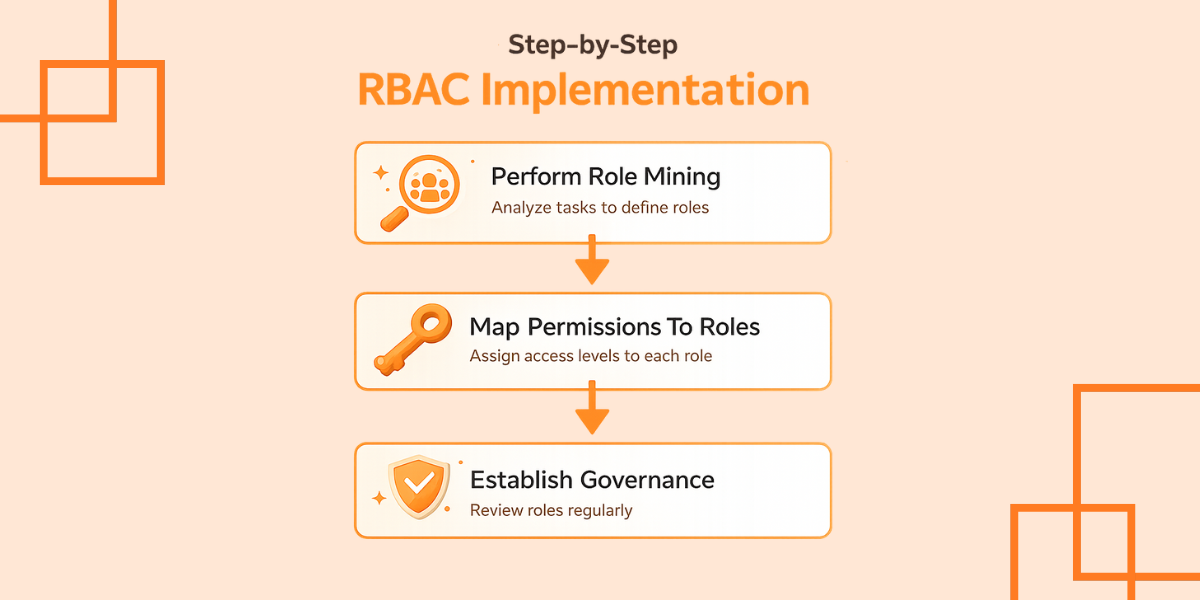
Implementation is not a task of setting something and forgetting it. It also demands coordination between your HR and your IT. To have a smooth rollout, follow the steps below:
The first step is to audit existing employees. What do they really do on a daily basis? Do not look at job titles, look at tasks. These tasks should be grouped into sensical functional roles depending on your business workflow.
This should define what each role means by access. Is it necessary to make changes to the bank details of an employee, or merely check them? Be granular here. The vast majority of solutions of HRM today provide the ability to assign the Read, Write, Edit, and Delete permissions to each separate data field.
Who owns the roles? The role definition is normally owned by HR. IT is the one who runs the technical group of Office 365 or SharePoint. Develop an Access Review Process on a quarterly basis.
This assists in preventing privilege creep. Employees retained ancient permissions at that time. It occurs following their transfer to new departments.
Now is the time to stop managing permissions out of spreadsheets or by sending one-off emails to the IT helpdesk. Starting from 40+ countries that Lanteria already reached, the process of scaling businesses frequently reaches a complexity wall at about 100 employees.
Manual systems break down at high growth. An upgrade of RBAC should be given a high priority when a software migration is to be made or when a security audit is required. Such controls can be implemented at an early stage before you end up facing the garbage-in, garbage-out risks that are characteristic of legacy systems.
Helpful Resource: Future-Proof Your HR with Secure Lanteria Solutions
Role-Based Access Control is not just a technical environment. It is an essential component of the security culture of your company. It establishes strict guidelines concerning access to information.
Get rid of personal authorizations. Transfer to a role-based system. This is to secure your most valuable asset, which is employee data.
This change simplifies your HR processes. It also offers your IT team peace. Keep in mind that the secret of a safe working place is the right access at the right time.
No. RBAC is role-based in the organization. Attributes such as location, time or device are used at ABAC, and a combination of both is used by many companies.
Yes. More than one role can be held by a user. The permissions of every role are united into the system.
Security Groups are used in SharePoint. You grant access to a group and add the users to the group. The same structure is applied to layer access control at Lanteria HR.
Book a demo with Lanteria today and secure your HR data with built-in RBAC that scales with your team.